I've been painting the trim in the kitchen so there isn't much to show off at the moment! I'm hoping to get some sewing in tomorrow after I help out in Hazel's class in the morning. In the meantime, I'll put up some of my favourite Instagram photos from the last week or so. I'm not quite as obsessive about that app as I used to be but I still enjoy it and am very fond of lots of my photos - not that I ever get around to printing any off though!
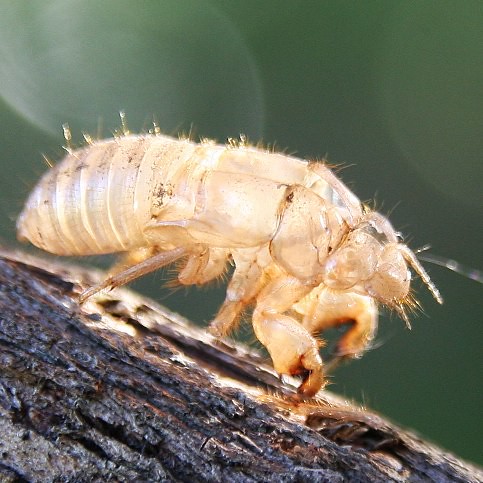
l-r: lunch (plus a bagel), Hazel's swimming lessons, tin can lantern I made as a test for my neighbour's Matariki party next month, she wants the kids to do a lantern walk.
l-r: school pickup before and after, some flowers on the way to school one morning, Hazel's pink toes in a puddle
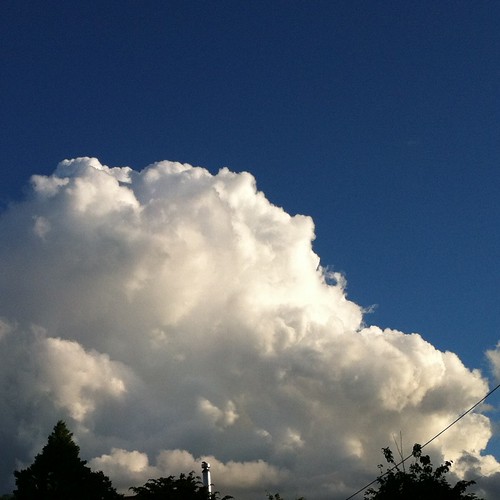
Abstract sun in a blue sky, some beautiful crocheted stones sent to me by the lovely Ellie, pretty sunset clouds
We're back from our lovely Sydney holiday - nice to be home but too much unpacking and laundry takes the shine off ;) Here are a few Instagram photos from the trip:
We had brilliant sun and warm days for almost a week, which was lucky since we spent a weekend up in the Blue Mountains with friends. It was gorgeous as usual, we used to head up there as often as we could when we lived in Sydney so we could enjoy the bush and views. It was a bit busier than usual what with the holidays, but I managed to take photos without any people to preserve the illusion that half of Sydney wasn't up there with us!
We also did the obligatory tourist stuff and saw the usual animals. Which aren't actually all that usual anywhere else in the world of course! The thing that always gets me about the birds in Australia are all these darn parrots flying around loose and being all native and free. It's unnatural! The Queen Victoria Building in the CBD was amazing as usual, but for some reason I was having trouble making myself take the touristy photos by this point. Perhaps I was beginning to feel like a native again :)
Then the weather packed it in and all my photos got edited into black and white. There is nothing like wet feet to get you all emo and stuff.
I fell in love with the Harbour Bridge all over again - Opera House bedammed, this is the real Sydney masterpiece!
Usual programming will resume shortly, KCWC is starting up on Monday and Hazel is back at school so it'll be full steam ahead! Of course, we did buy her quite a few things in Sydney but I also bought a new Japanese pattern book for kids (ohhhh Kinokuniya, why aren't you in Auckland?) which is delightful so I'll try and do something from that at least. I have all this fabric that needs using up!
Last week Nevercenter asked if I'd like a review copy of their photo editing desktop app CameraBag 2. I had a look at the intro video on You Tube and thought it looked interesting so said why not and they gave me a copy. Initially I wasn't entirely sure why they approached me but I suspect that they are aiming for the "in love with Instagram (or Hipstamatic) and want to do it on my computer" set - and I admit I've looked for Photoshop filters that would allow me to replicate some of the filters I like on Camera + or Magic Hour. And woah does CameraBag have filters! Filters up the wazoo. I could put in some screen shots of it in action, but actually the 5 minute 'How To' video is probably the best way to get an idea of how it works and it will save me a lot of explaining!
So, what do I think? I think it's fun and useful but there are some important things that are missing. First the good stuff!
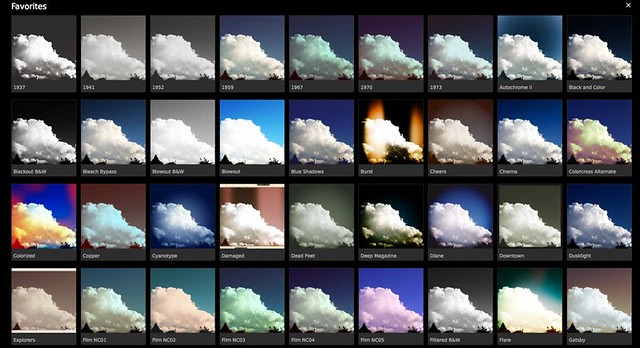
Filters, filters, filters and more filters! I'm sure if you're a Photoshop whiz you can do these things easily enough, but I'm not and I can't - not even a vignette, so I'm pretty excited about these.
This is some of them:
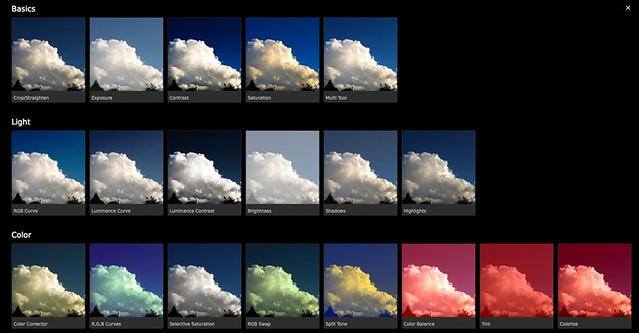
And there's even more of them here:
All up I counted 102 individual filters, and then within each of those there is a huge variety of settings. It's a little overwhelming! Luckily there is the quick look option which lets you see them all at a glance.
There are also the usual exposure settings of brightness/contrast/saturation etc. etc.
Plus some frames (something I've never been able to figure out in Photoshop!)
So all of that's good and great and I'm really enjoying it. But what can't it do? (and I do stand to be corrected on this if anyone knows differently)
Well it can't sharpen, and that's a major failing in my books. I use unsharp mask a lot, even on photos that are pretty sharp to begin with. Other online photo editing programs do a good sharpen - Snapseed on my iPhone does a super-good job, so its lack in CameraBag is a bit puzzling. It's the difference between this:
and this:
The other thing that I like to use a lot is a clone stamp or similar to get rid of pesky lamp posts or wires or trees. There are iPhone apps that can do this (eg.Filterstorm) - but not CameraBag. So instead of getting all lovely cloud courtesy of the seriously cool 'content aware' fill function in Photoshop (cloning could do it too, it's just much more labour-intensive):
You get this
Boo - trees and powerlines!
In the course of trying to figure out where sharpening was, I discovered another issue - the lack of a decent help function. The website offers a few video tutorials and some FAQs and that's about it. There is no comprehensive help guide, or any way of searching on a topic if what you want to know isn't contained in the FAQs. This suggests they aren't really expecting anyone to want to use this program seriously, or to experience anything outside the completely ordinary and expected. As a Photoshop and iPhone photo app junkie user it wasn't really an issue for me, and the controls are pretty intuitive, but still.
Overall I'm really enjoying the app and even if I had spent money on it I think I'd be pretty happy and looking forward to using it; but it's not perfect. I suspect what I'll be doing is some basic editing in Photoshop, particularly sharpening, and then taking it over to CameraBag. I've got my iPhoto set up to edit using Photoshop anyways, so it should work fairly smoothly. At the moment CameraBag 2 is US$24 and you can get a month's free trial for either Mac or PC, which seems to me like a bit of a no-brainer - you can evaluate it yourself. And if you find a way to sharpen I'd love to know!
I haven't been doing anything interesting lately, though I do try and fake it on Instagram. I love making my life look all arty and cool.
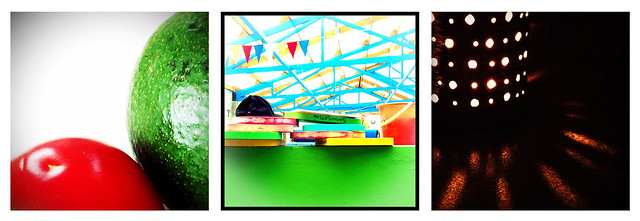
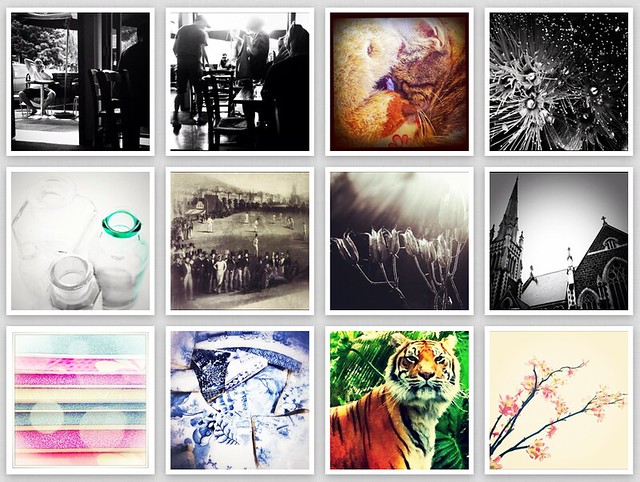
I've yet to try printing any photos off in a serious way - anyone have a good experience with a printing company? I printed a few off on my printer but I think I'd have to glue the photo paper to cardboard to stop them curling in the humidity. I created these mosaics over at instagrid.me, and they link up to printstagr.am who have some cute options, but I haven't investigated the international shipping. One never knows with US companies - sometimes they're fine, other times they seem to regard the existence of the rest of the world as offensive in some way and the shipping is so exorbitant you'd expect the item to show up carried by Daniel Craig in an Aston Marton. I think I've just convinced myself that it would be a good thing if Printstagram was in the latter camp... ;)
We had such craptastic weather over Christmas that the arrival of summer at long last doesn't seem quite real!
We (and half of Auckland) took advantage of the holiday today for Auckland Anniversary to head out to Muriwai Beach. First the beach at Maori Bay (next to Muriwai)
Then up onto the headland to see the Gannet colony there...
...and finished with an icecream - not photographed as I kept my iPhone well away from melty icecream!
Today Mat found a page out of a diary that Hazel must have started, abandoned and then discarded that says (translation to follow): Rily rily tierd!!! Today. In desprit ned of pony tile. Wishing it was yastoday. [Really really tired today! In desperate need of pony tail*. Wishing it was yesterday.] Where did she learn to sound like Bridget Jones?
*chewy little gummy My Little Pony snack. She is allowed to have one a day.
Last week Angry Chicken had a review of the Sunki tunic and leggings pattern and I thought it was kind of appealing so ordered a copy for myself - which arrived today - which just made me realise how super-fast it was coming!
Anyways, I don't have much to say about the pattern yet except I won't be making the top in ikat since I don't actually like it much (am I allowed to admit that seeing as it's so in at the moment?), but I'm about to sit down with a cup of tea and read the instructions and expect to enjoy myself very much in the way I often enjoy reading recipe books because the dish always turns out perfectly in my imagination!
Are you a sheep when it comes to this kind of thing? Do you read a recommendation by a popular blogger and rush out and buy the item? Do you ever feel like maybe the review is positive because the person is reluctant to be rude about a product they've agreed to trial? The whole Go! Baby issue springs to mind with relentless positive reviews and only one balanced one. I freely admit I'm a sheep in the worst way, but I like to think I pick my reviewers (yes I know I'm totally delusional but let me retain some vestiges of dignity). Of course another way of thinking about it is that the rise of social networking in shopping is a hot topic and that people like to have personal recommendations before they buy or visit. I felt a little hoist by my own petard when I pulled this pattern out of mailbox this morning because yesterday an Instagram big-wig featured one of my photos in his 'best of the year' round up and I got about 15 new followers and a heap of likes and it was all very thrilling - until it stopped dead and my feed went back to normal. It was pretty much like when my mug cosy was featured on How About Orange. So I was being all cynical last night and mocking the whole process on Instagram to a degree and then in the mailbox was physical proof that I'm no better or worse than the next sheep.
Baaa.
I'll let you know how I go with the pattern (for real).
(the famous photo - raindrops on the washing line)
One of the groups I regularly participate in on Instagram asked us to make up one of these little images to put up, I thought it was kind of neat and wanted to share it here.
Still beavering away on the Tomtes, I found some perfect knit fabric remnant today to make little sweaters for the boys. Will be so cute!
I really love natural linen and I have no idea why - but I'm drawn to it again and again in its various shades. I particularly love it paired with cotton, either plain or print and most especially red! I don't like wearing it because it does that nasty wrinking thing that makes you look sloppy after 30 seconds, but in anything else it's my favourite and my best (to quote Lola).
This is the beginning of my second pillow for the challenge, and my first ever attempt at hand-basting. Now I know why I will never do this for a larger project, it takes forever! But linen, she's a difficult mistress and until I get some 505 spray I'm going to have to suck it up and do it this way. And there's no denying, the basting has a certain appeal! This linen is a darker shade, with an almost green tinge to it, which makes it hard to pair with things but I think it'll be better for the pillow than a more natural oatmeal.
As a complete contrast, how about this photo I put through various iPhone filters until it looks (to me anyways) almost baroque in its hues
Unfortunately I can't remember which apps I used - I think Snapseed and Super Retro...I need to write these things down! It's funny with Instagram, forcing you to use the square format is quite good as it challenges you to think about images in a different way. I had a hard time not changing the linen photo to that size!
Although I had a slight hiccup with the new upgrade, I've been enjoying Instagram enormously, particularly playing with filters and using other apps to produce images that don't remotely resemble the original! On some levels that bothers me because I do like pictures to look like reality, but I can't deny the appeal of the filter.
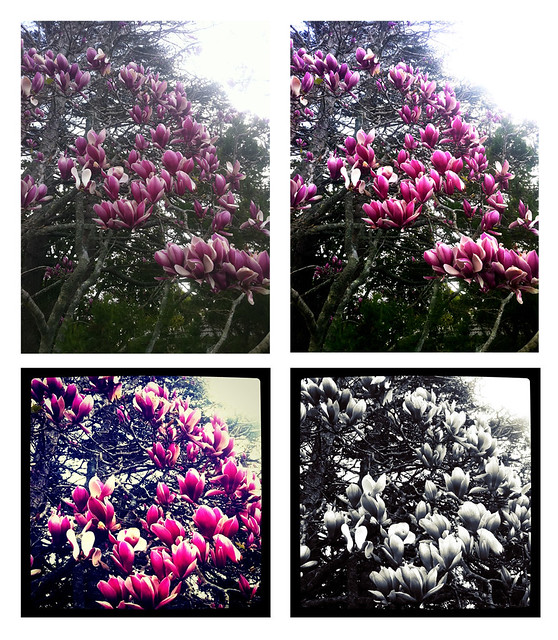
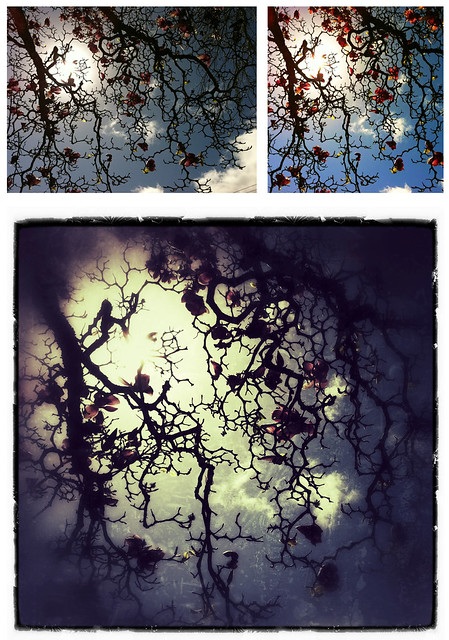
I'm always interested to hear about other people's forays into photography with the iPhone so I thought I'd just put up a couple of mine of a Magnolia tree at the top of the drive down to Hazel's school and just show you how I did what I did - nothing particularly complicated and I haven't managed to come to grips with putting an image through numerous filters on various apps.
Clockwise from top left: SOOC; edited for contrast and saturation in PS (Photoshop) Express; Cropped and edited with X-Pro II filter in Instagram; same photo but using the Gotham filter (sadly gone since last upgrade, I'm pretty ticked off about that, hope they bring it back!).
Clockwise from top left: SOOC; edited in PS Express for exposure, contrast, saturation and focus - all to get it looking like it did to the eye at the time; run through the app Snapseed (can't remember if I did two filters or just grunge at 400). I came across Snapseed a couple days ago via a contact on Instagram and am really liking it. The filters are interesting and the basic photoediting tools are probably better than PS Express's, plus you can crop to various dimensions easily, so I suspect I'll be using it a lot.